NOL Card Apple Wallet
When traveling in Dubai, many people run into issues because they can’t quickly check their balance or forget their actual NOL card. You can use your iPhone or Apple Watch to travel more conveniently by adding your NOL Card Apple Wallet. You can travel on Dubai Metro buses and other public transportation services with ease, save time, and avoid carrying extra cards.
What Is the NOL Card Apple Wallet?
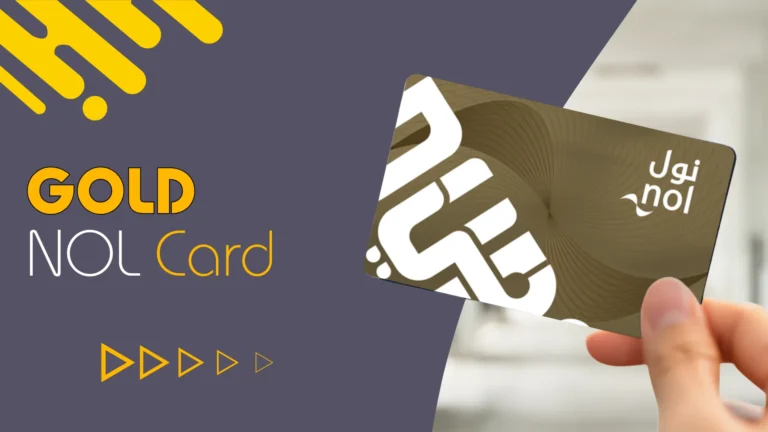
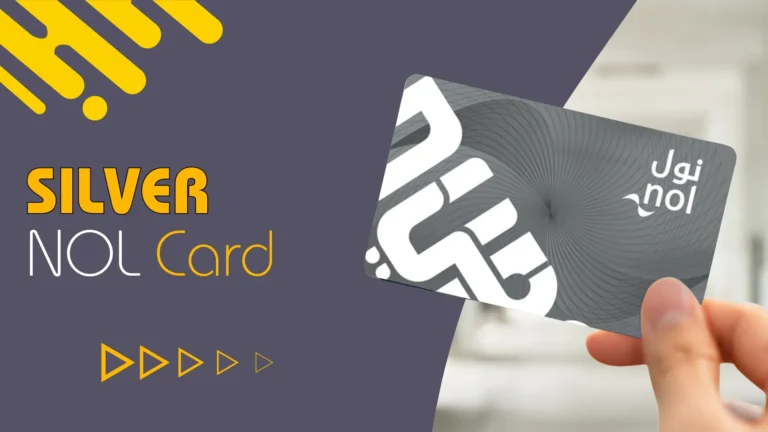
In Dubai the Nol Card is a smart travel card that can be used to pay for parking, water buses, buses, trams, and the metro. Users can now digitally store their NOL card on their iPhone or Apple Watch thanks to Apple Wallet integration. This eliminates the need for you to always carry a physical card, making travel in Dubai easier.
Passengers can tap their phone or smartwatch at metro gates and payment machines by using their NOL Card in Apple Wallet. It is a contemporary, quick, and safe method of utilizing Dubai’s public transportation.
Key points
These are some important points to remember:
Virtual Card/QR Code
Using the nol Pay app you can buy digital tickets based on QR codes.
Physical Card Management:
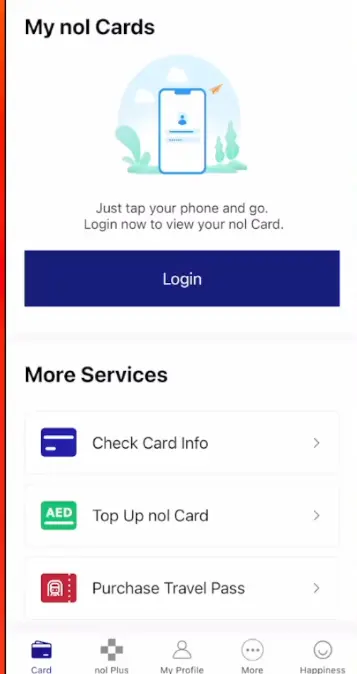
By scanning physical cards on the back of your iPhone, you can use the NOL Pay app to check balances and recharge them via NFC.
Physical Alternative
Although RTA does not support it, some users have taken the NFC chip out of a physical card and put it inside a phone case as a workaround.
Why NOL cards are preferred by users of Apple Wallet.
Because digital payment methods are easy to use and convenient, many residents and visitors to Dubai prefer them. Apple Wallet facilitates quicker and more seamless daily travel.
NOL card usage in Apple Wallet has advantages.
- No need to keep a physical card on you.
- Fast tap-and-go access.
- Recharge your phone easily.
- Enhanced security through Touch ID and Face ID.
- works with the Apple Watch and iPhone.
- Payments for parking buses and the metro are useful.
- Daily users of Dubai Metro save time because they don’t have to look for their wallet or card during rush hour.
How Apple Wallet and NOL cards interact.
The transaction is finished automatically. Your device and the metro gate can communicate contactlessly thanks to the system’s use of NFC technology. Office workers, students, and visitors who frequently visit Dubai will find this feature particularly helpful.
Apple Wallet-compatible devices for NOL cards.
Digital transport cards are not supported by all Apple devices. For seamless use, users require compatible devices.
- Devices that are compatible.
- NFC-capable iPhone.
- Watch by Apple.
- Most recent iOS release.
- Installed the Apple Wallet application.
Contactless transport payments might not be properly supported by older devices. It’s crucial to keep your device updated for optimal performance.
How to Update Apple Wallet with an NOL Card.
- Step 1: Start by opening Apple Wallet. Use your iPhone to access the Wallet app.
- Step 2: Press the Add button. If there is a transport card option, select it.
- Step 3: Include your NOL card. Enter the information on your NOL card, or if available, scan the card. Verify the card. Use the required confirmation or OTP to finish the verification process.
- Step 4: Once set up, your digital NOL card can be used to make bus and metro payments.
How to Recharge an NOL Card Apple Wallet
An important advantage of digital NOL cards is their simple online recharge. Users don’t need to visit metro stations to top up their balance at any time.
Recharge Techniques.
The RTA app is used. Direct balance addition is possible with the RTA Dubai app.
The NOL Card Apple Wallet is used.
Certain users have the option to directly recharge using linked payment methods.
Via Metro Machines.
If necessary you can physically replenish your balance at metro stations. Travel disruptions can be avoided by maintaining a sufficient balance on your NOL card.
Using the Dubai Metro with a NOL card.
Metro travel is made even more contemporary with Apple Wallet integration. At entry and exit gates travelers only need to tap their Apple Watch or iPhone. The fare is automatically subtracted from the balance on the card. During rush hours this procedure cuts down on waiting times and is extremely quick.
Apple Wallet with NOL Card for Bus Services.
NOL card payments are also accepted on Dubai buses. When getting on the bus, passengers can tap their device next to the card machine. The digital card offers a convenient travel experience and functions similarly to the physical card. The fact that daily commuters do not require distinct payment methods for various transportation systems is a huge benefit.
The Apple Wallet NOL card has security features.
- One of the main benefits of digital wallets is their security.
- Touch ID protection and Face ID.
- Using biometric verification, the wallet is only accessible by the device owner.
- Data for encrypted payments.
- Payment information is encrypted and kept safe with Apple Wallet.
- The protection of lost devices.
- Users can use Apple services to remotely lock or erase their lost phones.
- Compared to carrying cash or actual cards, these features make digital NOL cards safer.
Typical NOL Card Apple Wallet issues.
Some users may occasionally experience payment-related or technical difficulties when using the Nol Card in Apple Wallet. The majority of these issues are minor and can typically be resolved without going to a customer support center or metro station.
No card is being scanned.
At bus card readers or metro gates the digital NOL card may occasionally not scan correctly. This problem may arise if NFC is turned off, the phone battery is extremely low or the device is positioned incorrectly close to the scanner. A thick phone cover may occasionally interfere with contactless scanning as well. To successfully complete the payment users must hold the iPhone or Apple Watch close to the card reader for a few seconds.
Balance isn’t changing.
The updated balance may not show up in Apple Wallet right away after the card has been recharged online. This typically occurs as a result of the system taking a few minutes to synchronize the recharge data. This problem could also be caused by a bad internet connection or a delayed server update. To update the balance users should restart the device, wait a little while or reopen the wallet app.
Issues with device compatibility.
Digital transport cards are not compatible with every Apple device. The NFC and Apple Wallet features needed for NOL card functionality might not be present in older iPhone models. Before attempting to use the service users should make sure their device is compatible with the most recent iOS updates and contactless payment methods.
Delays at the payment gate.
Some users may experience a delayed gate response when tapping their device at crowded metro stations. This may occur as a result of network congestion or the scanners delayed detection. Usually the issue can be resolved by holding the gadget firmly close to the card reader for a brief period.
Problems with a low battery.
A very low battery may prevent the digital NOL card from functioning properly even though Apple devices support certain power reserve features. For continuous travel it’s critical to keep the device charged.
Errors in apps or software.
Payment functionality may occasionally be impacted by transient software bugs in Apple Wallet or iOS. Frequently these issues can be resolved by restarting the device or updating the software. Restarting the device, turning on NFC, reconnecting to the internet, or updating the phone’s software can all easily fix the majority of NOL Card Apple Wallet problems.
Advice for Easy NOL Card Apple Wallet Use.
Following are the tips for easy use.
Make sure your phone is fully charged.
For contactless transportation payments, a fully charged device is essential. The digital card may not function at metro gates or payment machines if the battery runs too low. For convenience, users who travel frequently should always have a power bank or charger with them.
Turn your device’s NFC on.
The iPhone and Apple Watch can interact with metro scanners thanks to NFC technology. The payment process will not be completed by the device if NFC is turned off. For seamless scanning, users should make sure NFC settings are still active. Getting the most recent iOS version and updating the device enhances security compatibility with Apple Wallet services and performance. Updates to the software also aid in bug fixes and increase the dependability of digital NOL card payments.
Keep Enough Equilibrium.
Prior to traveling, always check your balance. Inadequate balance can prevent access to buses or metro stations. Users can avoid disruptions during daily commutes with regular top-ups. Handle the device correctly, and users must position their iPhone or Apple Watch near the card reader and wait a short while for confirmation to appear in order for the scanning process to be successful. A scan may fail if the device is moved too quickly.
Make use of a dependable internet connection.
Transport payments can be made offline, but recharge updates, account verification, and wallet synchronization might still require internet access. Delays can be prevented with a reliable connection. NFC signals may be hampered by certain thick or metallic phone cases. Removing the cover could enhance contactless payment performance if scanning issues occur frequently.
Restart the device periodically.
Refreshing the NOL Card Apple Wallet services and resolving transient issues can be accomplished by restarting the iPhone or Apple Watch. Many minor technical issues can be resolved with this easy step. Keep your Apple ID safe, and the digital NOL card is secure when Face ID or Touch ID is enabled and strong passwords are used. Additionally, it safeguards payment details in the event that the phone is misplaced or pilfered.
Prior to setup, make sure the device is compatible. Users should verify that Apple Wallet and transport card functionality are supported on their device before adding the NOL. Faster and more seamless experiences are offered by compatible devices.
Conclusion.
The NOL Card Apple Wallet is a clever and practical way to travel in Dubai. Using their iPhone or Apple Watch, it enables users to take advantage of quick, safe, and cashless transportation transactions. Digital NOL cards facilitate everyday travel for both locals and visitors on the Dubai Metro, buses, and trams. Apple Wallet integration is becoming a crucial component of contemporary public transportation as Dubai continues to progress toward smart technology and digital systems. Every day users can experience a more seamless travel experience, increase convenience, and save time.