
NOL Card Complete Guide (Beginner to Advanced)
In this post, we will discuss in detail NOL cards. How to recharge it? How to use it? How to renew it, every single thing, will be discussed in this article so that any person, either a new user or an old user, can benefit from our post.
What is a NOL card?
An electronic smart card offered by the Dubai Roads and Transport Authority is called a “Nol card.” Nol cards are used by more than 47 million people. It works like a prepaid travel card, making it easy to pay for services like public transportation without having to use cash.
Which NOL card is best for you will depend on how frequently you use it and how much you need to travel. Whether you are a daily commuter or a student tourist, there is an NOL card that can be customized to meet your needs.
How to renew your Nol card?
To ensure that your travels to Dubai are easy, cashless, and seamless, you can simply renew your Nol card online or at kiosks if it is about to expire. These days renewing a NOL card is very easy. Don’t let your time there be ruined by travel delays.
Nol cards typically have a validity period instead of having their physical cards renewed; they typically need to be replaced when they expire or are damaged. Transferring the balance to another card is an option.
NOL card types
These are a few of the most popular kinds of NOL cards. In order for you to comprehend all of these kinds, we have explained them here.
Silver Nol Card
The Silver Nol Card is the most popular daily choice for commuters who use the metro bus and tram. It is the most widely used metro and bus pass in Dubai because it provides affordable fares for all forms of transportation as well as RTA services.
Gold Nol Card
With a Gold Nol Card, you can ride the Dubai Metro and tram in first-class private cabins, but the cost is higher. On the Dubai Metro and Tram, it gives access to the Gold Class cabin, which is more expensive but has better seats and more comfort.
Red NOL card
The Red Ticket, a transient paper ticket, is the ideal choice for visitors or infrequent travelers. Visitors or short-term guests can use this paper-based metro pass to travel throughout Dubai’s transportation system up to ten times.
Blue Nol Card
Your individual Blue Nol Card, which offers balance protection and student/discounted options, is connected to your Emirates ID. Through connections to your Emirates ID, it provides online balance protection and monthly pass options.
The procedures for renewing or replacing a card.
All you need to do is follow these instructions to renew your NOL card.
Get Your Own Nol Card
Any authorized sales location or RTA outlet in Dubai is where you can get your new Nol card. You can easily continue using cashless services and public transportation with this new card, which will replace your old or damaged one.
Move the balance to the new card
Use the Nol Pay app or visit an RTA customer service center to swiftly transfer your balance, travel passes, and card details from your previous Nol card to your new one.
This ensures that no travel or credit benefits will be forfeited.
Transfer money using the Nol Pay app
For users renewing an app and transferring balances are simple and convenient processes. Keep a close eye on these steps.
- Start the Nol Pay app on your smartphone.
- Click the More Services tab after opening the main menu.
- Select Report Lost to begin the balance transfer process. either damaged or something similar. By entering you can securely move your balance and travel passes to the new card.
- Give the necessary information and attach the ID from your prior card.
- Watch for the system to update your new card balance after you have verified the transfer.
How to use the RTA website to refill your NOL card
Using the Roads and Transport Authority (RTA) website to recharge your Nol card only takes three minutes. All you need is your Nol card number to recharge and a functional Visa card to make the purchase. Thanks to the completely secure process, your balance is updated quickly and efficiently for ongoing use of public transportation.
Please log in
- Enter your login credentials to get into your account.
- Make an account.
- You must first register by providing your email.
Find Section
- Once logged in, navigate to the Nol card section.
- This is typically located in the Services or Public Transport menu.
Enter this information
- Enter your Nol card number in the corresponding field.
- Make sure the number is correct to avoid any issues during the recharge.
Options for Recharging
- Pick one of the available recharge amounts.
- The typical choices are larger amounts for regular commuters and smaller amounts for infrequent use.
The method of payment
- Choose between using a debit card, credit card, or another available payment method.
- Enter the following payment details.
- Make sure the necessary payment details are entered correctly before proceeding.
- Look at the details.
- You must verify whether the phone number and recharge amount are correct after adding the necessary information.
Confirmation
- An email will be sent to your account after you select the verification option.
- The time of the balance update.
- Your Nol card will reflect the recharge amount within 45 minutes to 4 hours of the recharge.
- To activate the new balance at any metro station you must use your Nol card.
- Your card will be used at the station to update the balance.
Recharge your Nol card online via the RTA website
Following are the methods through which we can recharge Nol cards.
RTA App for NOL Card Recharge
- iOS users should open the App Store search for RTA Dubai and download the app.
- Enroll here. If you are a new user, you must create a new password and register using your email.
- You can check RTA for problem-solving methods.
Enter the following details:
- Enter your Nol card number in the relevant field.
- Make sure the number is entered correctly to avoid errors.
Select the payment method
- Choose between paying with a credit or debit card.
- Enter your payment details here.
- Make sure you have correctly entered all necessary payment information before proceeding.
Check for balance
- Check the updated balance on your Nol card after the payment to verify that the recharge was successful.
- To activate the new balance at any metro station, use your Nol card.
How to pay for journeys on public transport in Dubai
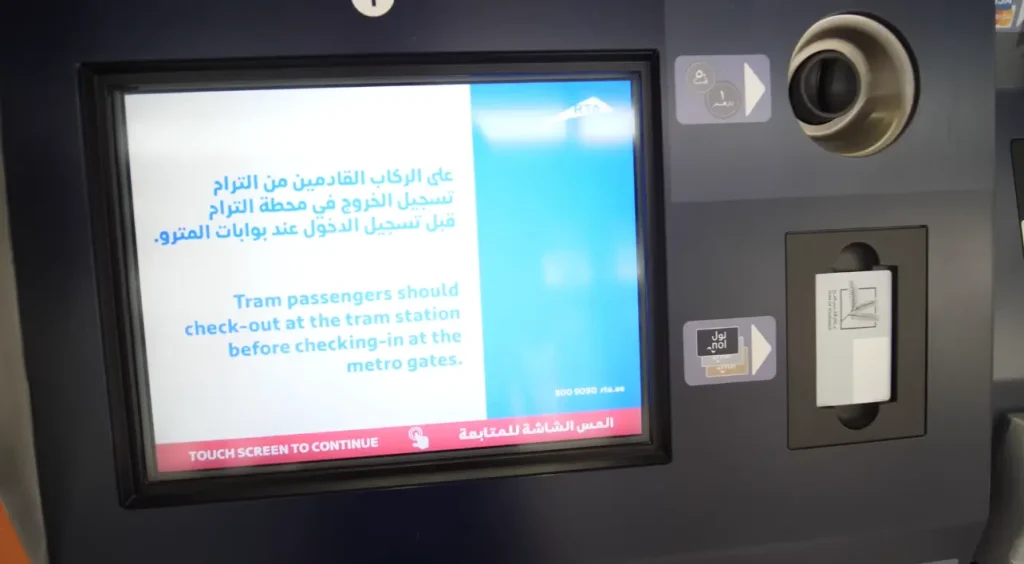
In Dubai anyone using public transportation must have a NOL card. This is similar to London’s Oyster card in that users can pay for nearly all modes of transportation with just one touch in or touch out. It is incompatible with the Palm Monorail and certain Abras (traditional local boats) in Dubai’s historic district. You can buy a NOL card at any Metro station, and using the machines at bus, tram, and metro stops to top it up is easy.
Finally, individuals who are eligible for special fares such as students, the elderly, and those with disabilities (referred to as people of determination in Dubai) can obtain a Navy NOL card. The app allows you to order food just like Uber Eats does in the UK. Careem is extremely successful in Dubai.
Transferring Balances via the Nol Pay App
You can transfer balance through the following:
Make sure the card is valid first
To ensure a seamless balance retrieval, make sure your old NOL card is still readable or active before beginning the transfer.
Use the same Emirates ID or account.
To avoid data inconsistencies when transferring money, please try to use the same account or Emirates ID associated with your prior Nol card.
Have internet access
Maintain a steady internet connection throughout the process, as any disruptions could cause a failed or delayed balance transfer.
Time spent processing
Depending on RTA system updates, balance transfers typically take effect in 24 to 48 hours. Once the card has been verified, keep it. Wait until your app has processed the new Nol card and displayed the updated balance before discarding the old one.
Choice in-person
Visit the closest RTA Customer Happiness Center for manual assistance if the app isn’t working or displays errors.
Contact support at
If you have any questions concerning balance transfers or delayed renewals, you can also call the RTA helpline at 800-90-90.
Conclusion
If you have your Nol card, you can use Dubai’s bus, tram, and metro systems with ease and continuous service. Renewing your Nol card is quick and simple with the Nol Pay app or RTA centers. If you renew on time, you can protect your travel passes, transfer your balance, and keep commuting throughout the city without using cash or encountering any service interruptions.